 Purchasing domain name and hosting is an essential step when creating a new website for your business. A reliable web hosting and a memorable domain name have a significant impact on the success of your website.
Bluehost is the most popular web hosting provider that offers different domain extensions along with hosting plans. The different hosting types offered by Bluehost include Shared hosting, VPS hosting, Dedicated hosting and WordPress hosting.
Each domain offered by Bluehost includes easy management for the website interface. It lets you change the DNS records from multiple domains that are available. It offers you an auto-domain renewal option. It also provides a domain lock feature.
Once you purchase a domain that suits your business, you can lock your domain which helps prevent unauthorized transfer. Read this Bluehost review to learn more.
How To Buy Bluehost Domain Name and Hosting?
With Bluehost Coupons, you can get a discount of up to 65% and more on hosting and domain, which makes buying them all the more affordable. Bluehost offers a wide range of hosting types and plans. Likewise, it also offers an array of domain extensions along with other essential addons. If you want to buy Bluehost hosting and domain, then this quick guide can help. This guide provides step-by-step instructions along with screenshots. So, check it out now and purchase hosting and domain in under 5 minutes.
A. Step-by-Step Guide to Purchase Bluehost Hosting and Domain
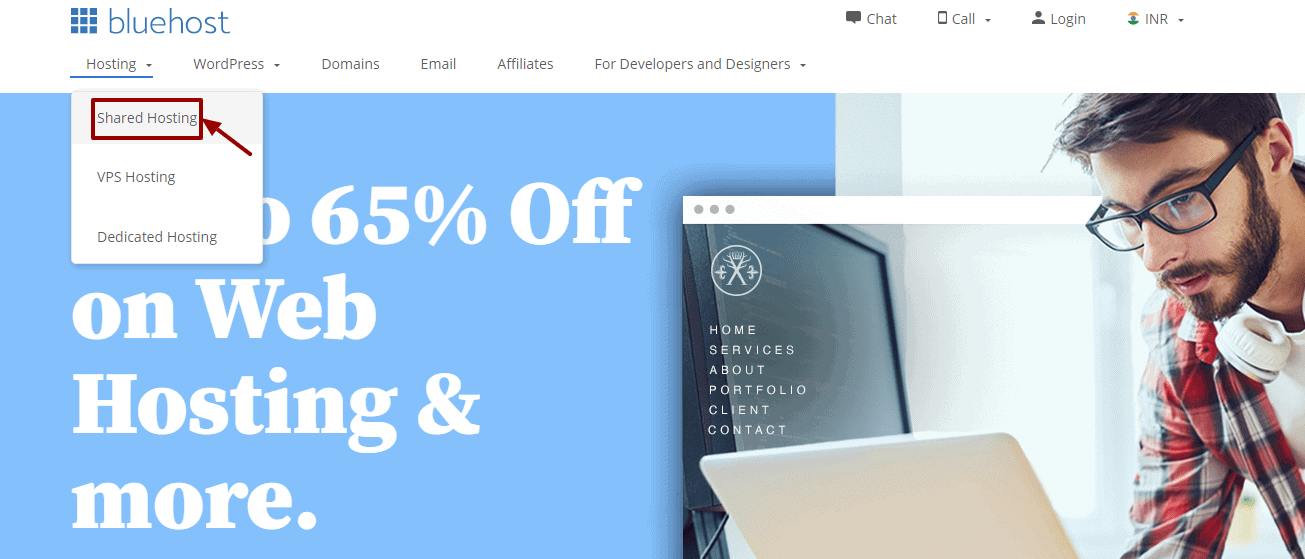
- Step 1: Go to Bluehost homepage » navigation » Shared hosting.
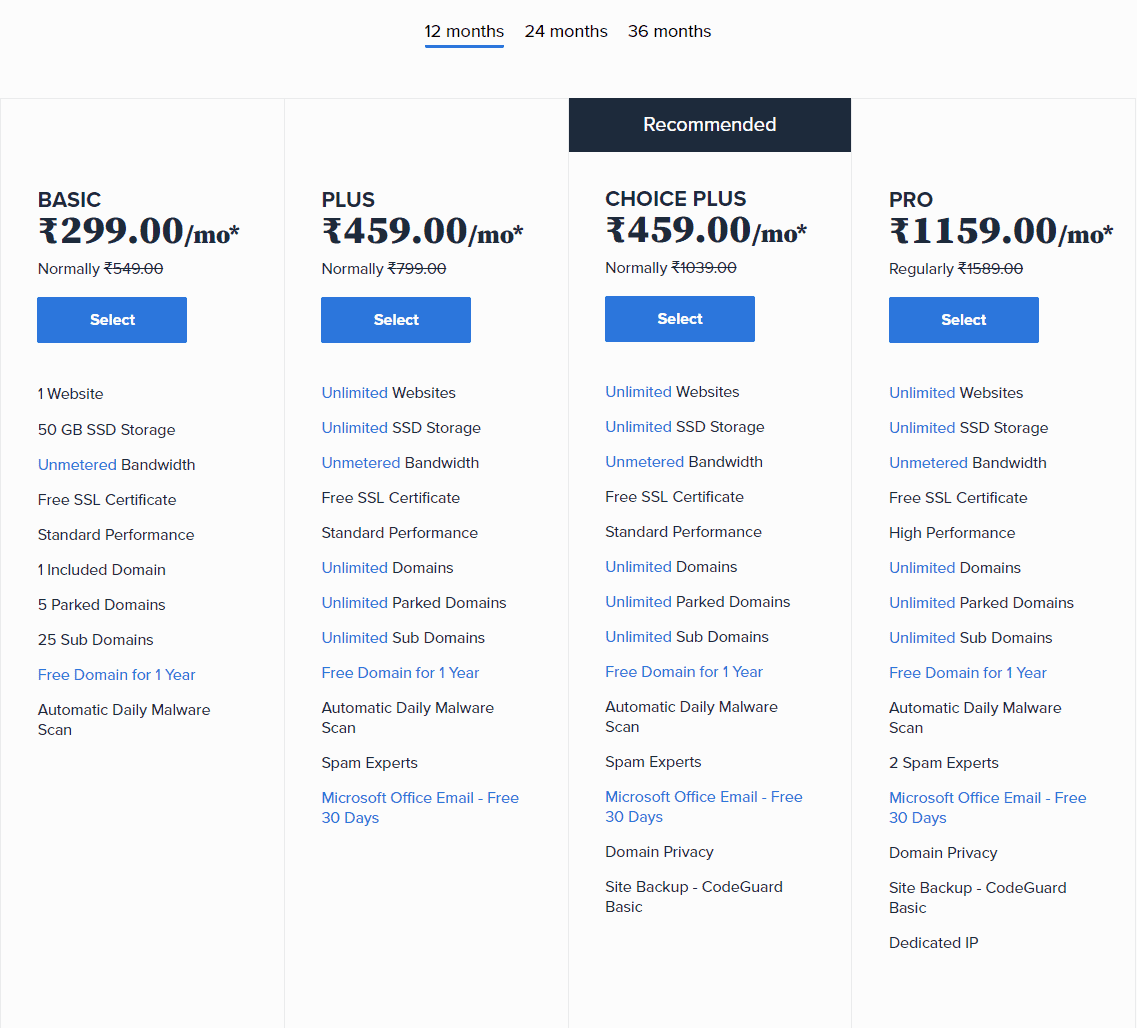
- Step 2: Choose from the four hosting plan – Basic, Plus, Choice Plus, and Pro. Click on ‘Select’

If you don’t plan to run more than one site, choose the basic Starter plan. It will offer you all the features that are perfect for a start-up website or a blog. You’ll be able to upgrade to an advanced plan in the future if you need it. Use Bluehost Hosting Coupons to make a purchase.
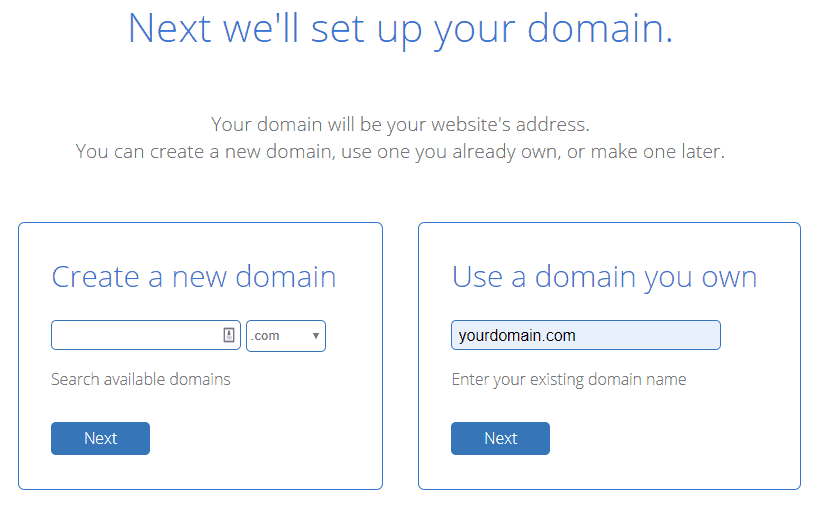
- Step 3: Create a new domain or enter an existing domain name. Click on ‘Next’
Once you add your domain and it’s available, you’ll get the message of congratulations flashing on the screen.
- Step 4: Now, you’ll need to enter your account information. Confirm your account plan and then move forward. You should stick to a 12 monthly plan to start with. But, if you want to reduce the monthly cost, select longer subscriptions.
Pay with ‘PayU’. There is no monthly fee that Bluehost offers. It gives you the option to pay annually. Bluehost also offers a thirty-day money-back guarantee on plans. If you decide to cancel your plan within this time, you will get money back for the remaining time under a pro-rata refund.
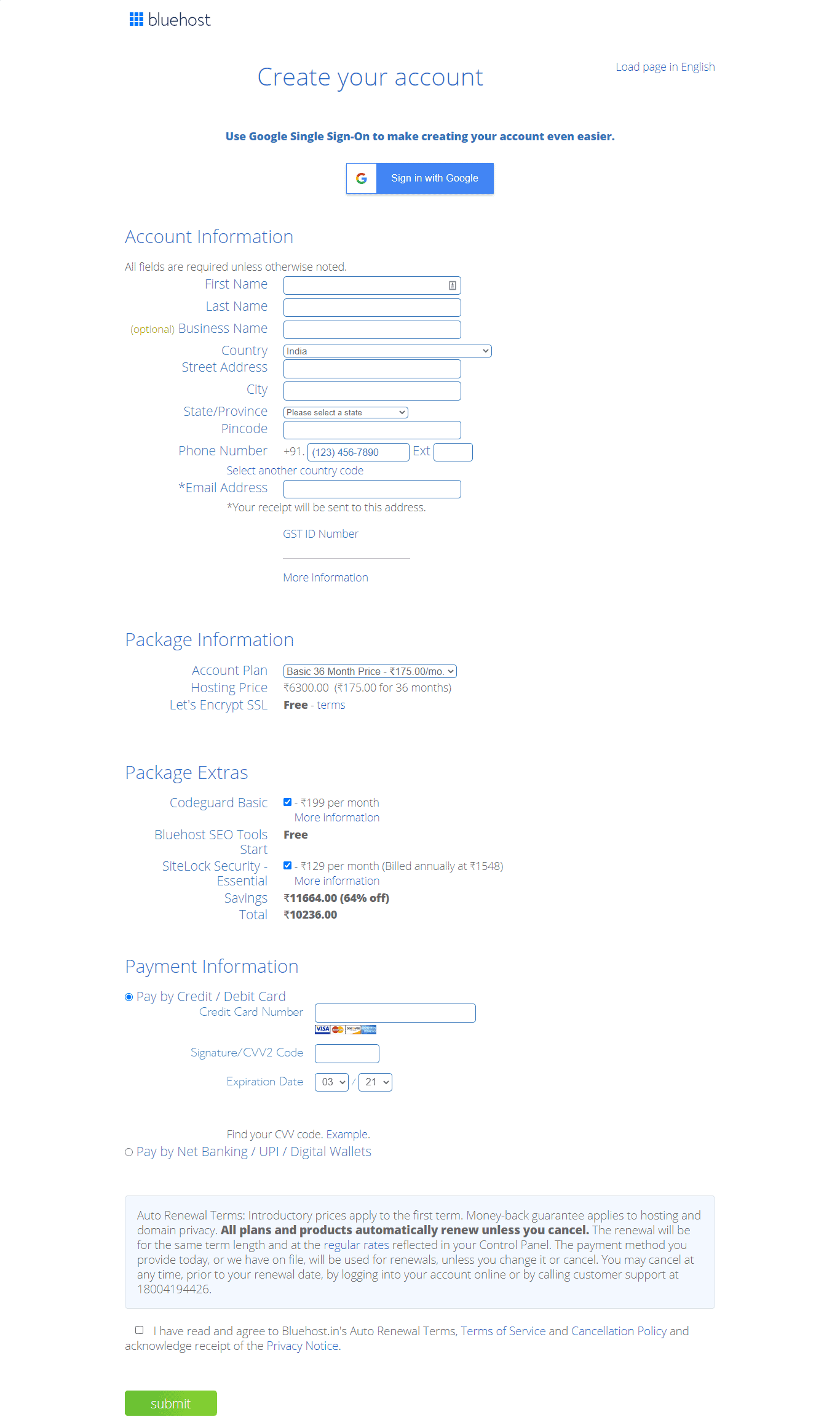
You can also choose ‘Package Extras’ – SiteLock, CodeGuard, Domain Privacy, etc as required. Next, click on ‘agree to the terms and conditions’ and click ‘Submit.’
B. Other Add-ons with Hosting and Domain
1. Site Backup Pro
There is an option of Site Backup Pro when you confirm your account. While this is optional, you should check the box as regular backups of the website are important.
Today, most sites face threats of hacking. So, if you encounter an issue related to your website being attacked, you don’t have to worry as you’ll have a backup readily available.
2. Domain Privacy Protection
WHOIS makes it easier to find information about a domain name. This data can be used by marketing companies. Plus, it makes your website vulnerable to threats in the future.
When you tick ‘domain protection’ in your registration process, it will make sure your site information is protected and visible only on Bluehost.
3. Sitelock and Bluehost SEO Tools
Click on SiteLock if you want added security for your website. You will be able to know more about the feature on the page itself. The ‘Bluehost SEO Tools’ option should be left unchecked if you don’t know about search engines.
To Conclude,
Bluehost provides you with many options for hosting and domain. Choose a feasible one and complete the online registration process. It will take minutes to purchase a plan and domain from the website.
To purchase only a domain name, use these Bluehost domain coupons and get a discount.




Leave a Reply