BhiCoupons.com

  • Home
  • Reviews
  • Blog
You are here: Home / Archives for Blog

Website Security: Secure Your Website Against Malware & Spam

By Sudhir Bhushan Leave a Comment

Website Security Against Malware & Spam Security has become an essential part of webspace. With the intensity and frequency of cyber attacks, a website with no security measures is an easy target for hackers. Web developers and site owners now consider site security as a top priority when creating a website.

Whether you have a small website or a big eCommerce store, there will always be a threat. Website security is critical to prevent the risk of malware and spam.

Hackers can embed malware and steal your data. Some may delete the content of your website, which will affect your site traffic. Therefore, it is essential to have complete security for your website to protect it from hack attacks to secure your site’s data.

Read: How to Purchase a Domain Name and Hosting With Bluehost.

How important is website security?

Website security is not a set-it and forget-it solution. It is a continuous process, which requires a thorough assessment to reduce the risk of malware and spam. By following a systematic approach to website security, you will safeguard user data, business data, and content. For this, you will need to review website security before implementing safety protocols to protect your site.

Top

A. Why Should You Consider Website Security?

Small site owners believe that their website is insignificant, and no one would target it. But, contrary to this belief – in 2013, more than 70% of WordPress new installations were vulnerable to attacks. Though, most attacks were due to outdated software. Besides, most owners don’t know the update feature and don’t care about the security updates.

There are many reasons why you should consider security:

  • Your critical site pages may be blank, or hackers can stuff them with illegal links.
  • Sensitive information – like customer details – may be stolen from your website.
  • Your site could have a code injected that may cause visitors to infect their systems with malware.
  • Malware attacks can spread to other websites on the server.
  • Admin account information – username and password can be changed, which may prevent you from logging in.
  • If Google detects suspicious activity or malware on your site – it will blacklist it and remove it from the search result.

Read: How to install WordPress on Bluehost.

Top

B. Tips for Performing Website Security Check

1. Look for changes in your site

It is essential to look out for any unexplained changes on your website. There could be a sudden link to a strange illegal site or changes to settings you haven’t made.

  • Check if there are any new blogs on the site that you have not created.
  • If you have a WordPress site, you need to look for WordPress themes and plugins you haven’t installed.
  • Check your plugins and theme files, as the malware is often injected into them.

If you connect your website to FTP, you can sort and modify all changes. Also, you must have a backup of your site data and database.

Read: Biggest Web Hosting Mistakes You Should Avoid

2. Use an online tool
sucuri sitecheck

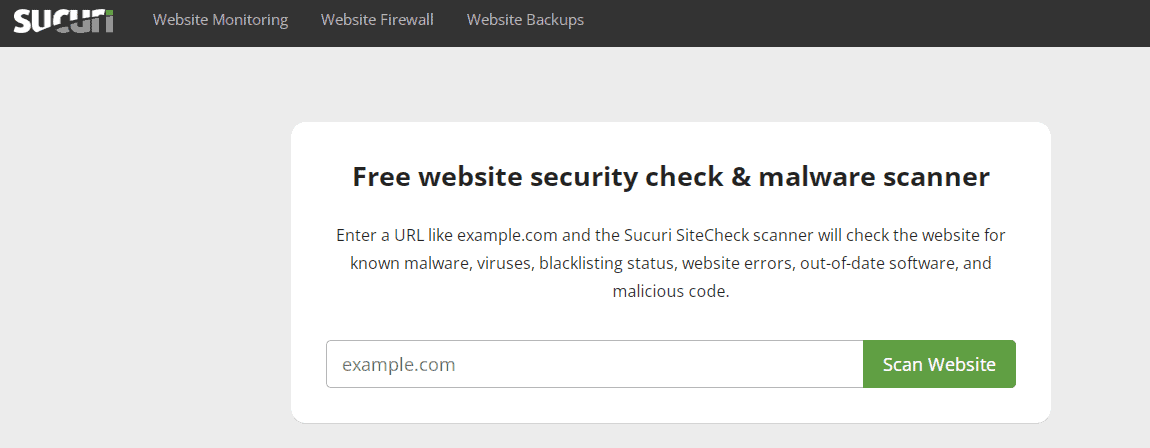
One of the simple ways to check your website for vulnerabilities and malware is to use an online security scanner. The scanner will remotely scan your website and identify common issues.

Besides, it doesn’t require any installation and takes a few minutes to scan your site. There are many scanners you can choose from – the most popular one is Sucuri SiteCheck.

This tool will check for malware, blocklists, spam, and outdated software. After scanning the website for issues, it will offer suggestions on how to tighten your website security.

3. Secure your accounts with a strong password

Secure accounts with strong password

Anyone can break a weak password and hack your site. With a weak password, hackers can get administrative access and make changes to your website. Thus, it is important to use a strong password.

  • Your password should have the right mix of upper and lower cases.
  • You can use numbers and symbols as a combination.
  • Also, don’t keep birth dates and names as passwords, as they are easier to hack.

Use the LastPass tool to create a strong password. It also allows you to store all passwords in a centralised place. This makes logging into different devices/accounts easy.

4. Make sure your site is updated and check your SSL certificate

Outdated software is a magnet for viruses and makes your site more vulnerable to attacks. For WordPress websites, you need to check for the latest updates in the dashboard. That said, most WordPress websites perform automatic updates, so you don’t have to worry.

Like software, your SSL certificate may also be outdated. In this case, the Chrome browser will block access to your website with caution, which may affect your website traffic and ranking. To prevent this, check if your SSL certificate is updated or not.

To buy an SSL certificate, make use of Bluehost coupons.

Top

C. Ways and Tools to Secure Your Website

If you find security-related issues and lapses after scanning, it is time to act on those issues and rectify them.

1. Two-factor Authentication
Two-factor Authentication

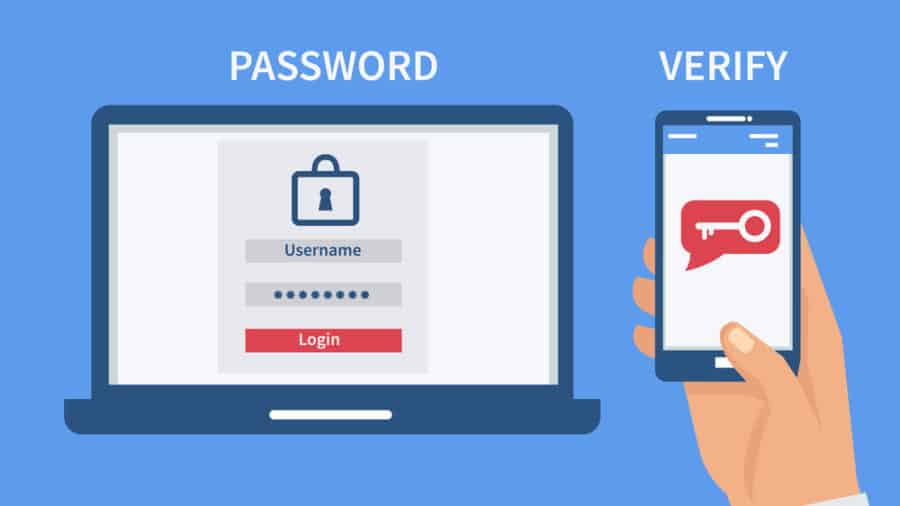
Two-factor authentication or two-step authentication gives your log-in an extra cover. Besides your usual username and password, you will need a piece of information to log in. It is like adding a unique additional code. Two-factor authentication can be a digital code sent to your phone, or it may require email verification. In WordPress, there are plugins like Two Factor Authentication that can help add this functionality to your site.

2. Web Application Firewall

Web Application Firewall

Through a web application firewall, you can use rules to filter out the traffic on your site. It helps you block the IPs associated with hackers or DDoS attacks. It is best to apply a web application firewall at the server level, and it is available as a cloud-based service provided by Cloudflare.

Read: Difference between Dedicated IP vs Shared IP

3. Prevent DDoS and Brute-force Attacks
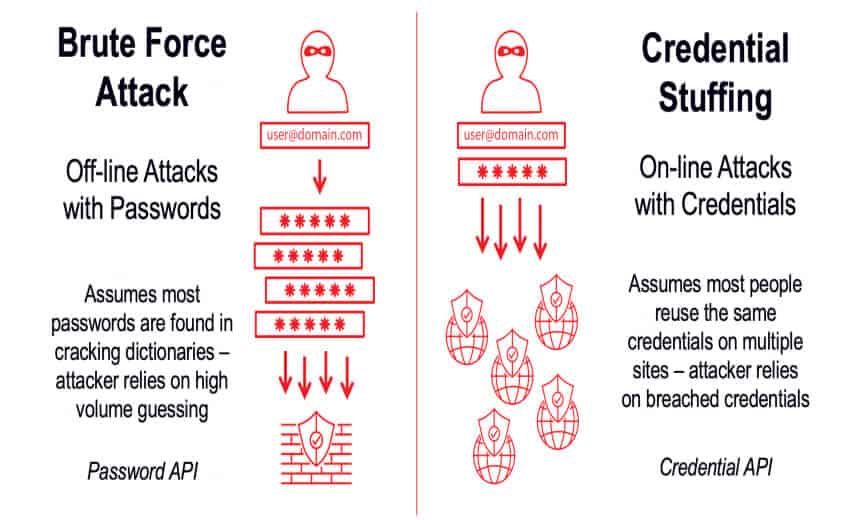
Prevent DDoS and Brute-force Attacks

DDoS attacks slow down a website with many bogus requests, which makes it difficult for users to access it. To prevent DDoS attacks, you can use a web application firewall and customised anti-DDoS software. Apart from this, you can disable the rest API for users and xmlrpc.php to prevent all third-party apps from accessing your site.

Just like DDoS, a Brute-force attack can guess your admin password and hack your website. To prevent a Brute-force attack, you can use two-factor authentication and change the login page of your URL. You can set up an activity log for unofficial login attempts or limit the page login attempts.

4. Connect over SSH or FTP

At times, you will need to connect your site via FTP to modify the files at the location. For this reason, it is best to use SFTP over FTP as the former is more secure. The FTP data is not encrypted, so if the user manages to intercept a connection, the user can see everything from your file uploads to login credentials. Moreover, you can consider SSH access that allows you to have a stable connection through command prompt to manage your site directly.

Top

The Final Checklist

Apart from the above-mentioned website security tip, you need to know about some popular security tools:

  • SSL Server test
  • SQL map
  • Intruder.io
  • HTML purifier
  • Detectify
  • WPScan
  • SonarQube

Secure Your Site Now,

You cannot overlook the importance of web security in the current age when hacking and cyber attacks have become rampant. You can protect your website against malware and spam by following the above tips and planning a strategic security framework for your website.

  • It is vital to update your website and have strong passwords.
  • Do follow the strategies of one site-one container. The strategy implies hosting sites on different locations rather than a single server.
  • For comprehensive security cover, limit your login attempts, user access and change CMS settings if you use WordPress.
  • Take regular backups of your site and install an SSL certificate for added security.
  • Lastly, install website monitoring and scanning tools.
10 Biggest Web Hosting Mistakes You Should Avoid

By Sudhir Bhushan Leave a Comment

Biggest Web Hosting Mistakes Your choice of web host is crucial for the success and growth of your website. A professional-looking website hosted on a reliable hosting platform will attract potential customers and get you more sales.

A low-quality web hosting can impact your business by affecting your site’s performance and could jeopardise your site’s security. There are many web hosting providers out there, each with different hosting solutions and features.

How will you know which company offers the best hosting service? There is no sure shot way to know that. But you can at least avoid the common mistakes while choosing a web host.

Read this Bluehost review to learn why it is the most trusted web hosting provider.

What are some of the common web hosting mistakes?

If you are a new business owner with little or no knowledge of web hosting services, then selecting the best web host for your business can be a tough task. Apart from the numerous hosting providers, there are also different web hosting packages with attractive features. Each has its pros and cons, but which is best for your website would depend on your website needs and requirements. Some of the mistakes that you might make when choosing a web host is opting for free hosting, not testing the customer support or choosing the wrong hosting plan for your website.

Top

Biggest Web Hosting Mistakes You Should Avoid

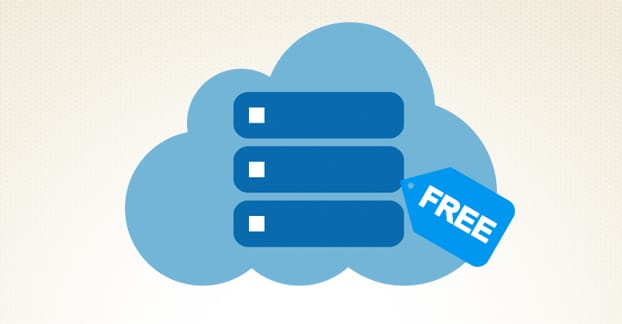
1. Choosing Free hosting services

Choosing Free hosting services

Free hosting services are good, but for a new blogger or an artist. It is not great for a business website as you may encounter various issues like:

  • Sluggish website speed and load time.
  • Your website may not be able to run certain scripts and files.
  • The web host may place third-party ads on your website without permission.
  • Your website will have a subdomain name. Learn more about domain and subdomain.
  • You won’t be able to scale your website with added resources as your plan is free.
  • Your website won’t get featured easily in the search ranking.
  • It might impact your SEO campaign.

If your budget is tight, you can choose a Shared plan or Basic plan instead of free hosting. Also, with Bluehost coupons, you can easily purchase hosting and domain at an economical price.

Top

2. Not comparing different hosting packages

Bluehost Hosting Plan

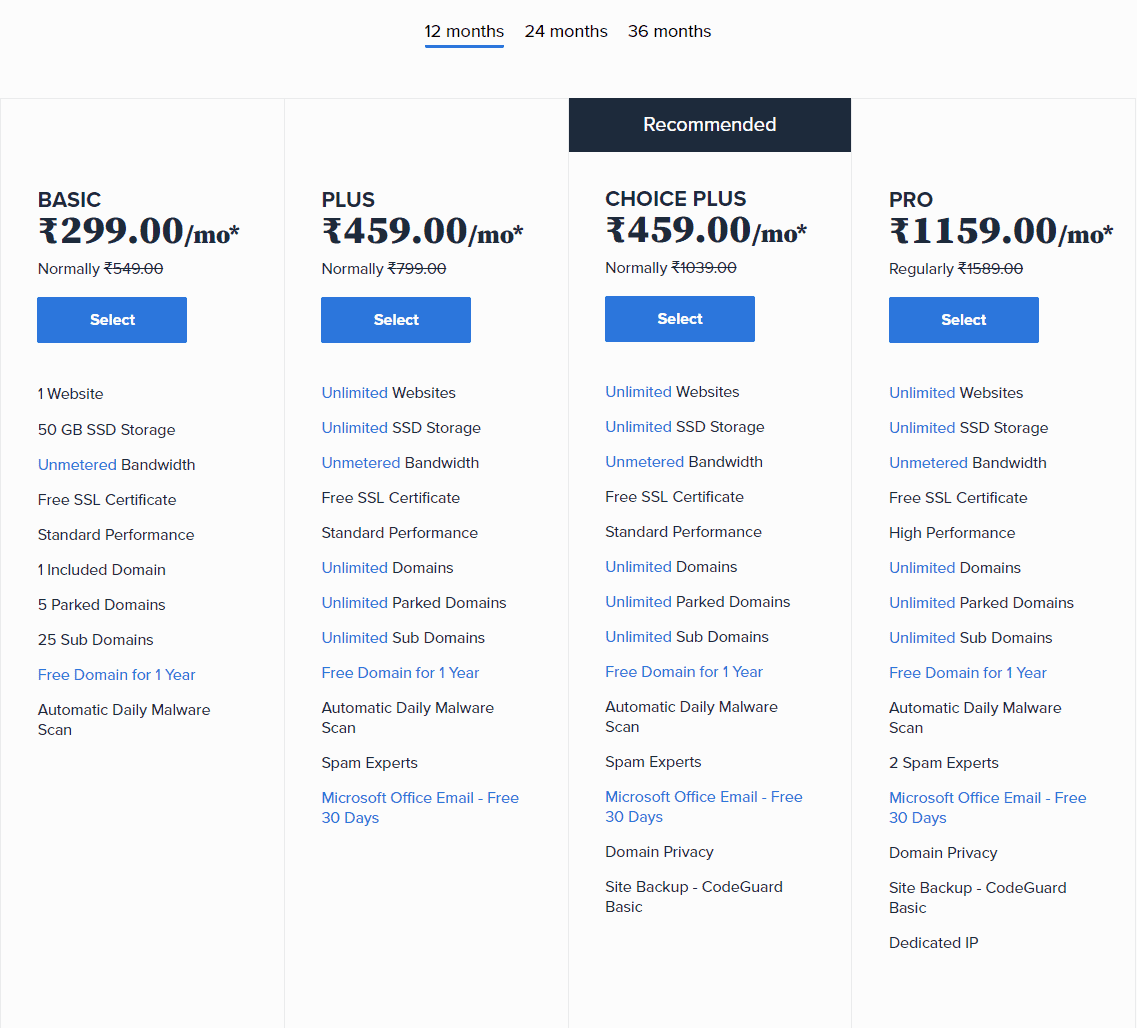
If the hosting package looks too good to be true, you need to make a quick comparison. Most people choose hosting plans based on features and pricing. But, it is important to determine which plan will suit your business needs. You can do that by comparing different plans available with the web hosting provider.

Read: Shared web hosting vs VPS web hosting

For example, if the plan comes with unlimited bandwidth, you need to dig deeper to know what is truly unlimited and what’s not. Some plans offer restrictions like software installation, no SSH, or multiple POP accounts. You can compare different plans on the internet and choose a plan that offers excellent web hosting features.

Top

3. Choosing the wrong plan

All the starter hosting plans are for start-ups and small business websites. It is advisable to start with a good hosting plan if you are aiming to expand your business in the future.

For example, for an E-com website, the most feasible option is VPS hosting as the resources can be scaled based on traffic. Basic plans will not support free data transfer, unlimited bandwidth, or security functions.

Site security is an important aspect of a website. Whether you need dedicated or VPS hosting depends on your business needs. If it is for a blog, you can stick to a basic plan or Shared hosting plan, which is easy to purchase at a budget with Bluehost hosting coupons.

Top

4. Not testing the customer support

Not testing the customer support

Customer support is an important feature of web hosting. You need to have a backup if you are stuck with any issue related to your website.

Most hosting companies claim to have 24/7 customer support, so try testing the customer support feature before buying the hosting plan. Make a list of questions that aren’t in the FAQs section.

Test each contact option with the list of questions to know about the reliability. Also, check through the support message board to see how long the web hosting company takes to respond.

Read these hosting reviews to know the different types of customer support offered by various hosting providers.

  • Bluehost vs HostPapa
  • Bluehost vs InMotion
  • Bluehost vs SpeedHost
Top

5. Falling for Sign up offers

Most hosting providers offer attractive sign-up packages to lure customers into purchasing hosting and domain. However, while the initial cost may be low, some companies may charge you two times extra for renewal. So, always check the web hosting renewal costs before you sign up for any hosting package.

Top

6. Trusting big brand names

Trusting big brand names

Choosing a popular web hosting is simple, but don’t blindly trust the company’s claims. Before buying a web hosting plan, you must analyze all the hosting features.

  • Don’t fall for blank claims; ask the company what is included in the hosting plan.
  • Check for the uptime, loading time, and bandwidth feature.
  • Check the security features offered and scalability options.
  • You also need to check website storage and backup options.
Top

7. Choosing a hosting package without a refund

If a web hosting company does not provide a refund guarantee, it may be difficult to trust the company. Even after reading the reviews, there is no guarantee that they will be good. A refund policy gives you a guarantee that the host is reliable.

It also provides an added sense of security that you can switch to another plan if your website needs expansion. Read the refund policy and understand the terms and conditions of the policy. Some hosts provide a refund only for some time – that is a month or three months. Others may offer a pro-rated refund on hosting plans.

Top

8. Choosing a new company

The experience of a web hosting company goes a long way. It is important to choose a company with a good reputation and experience. There are many web hosting companies – some old and some new. But new ones may not offer you the same reliability as old companies do.

New companies may provide minimum server space as it’s a new venture, so if you plan to scale your website in the future, stick to a popular hosting provider. New companies also offer a lot of discounts and promotional offers. But, if the hosting company decides to shut down its operations after a few years, your website will have to bear the brunt of closure.

Here are a few reviews that compared Bluehost with relatively new web hosting providers.

  • Bluehost vs DreamHost
  • Bluehost vs iPage
  • Bluehost vs Hostinger
Top

9. Not choosing an SEO friendly hosting

Website optimization is important for marketing and sales. The visitors will not reach your website if your website is not optimized. So, choose a web-hosting plan with SEO-integrated features. Also, choose a hosting plan that offers a 99.9% of uptime guarantee and faster servers. With SEO-friendly website hosting, you can improve your site’s traffic and ranking.

Top

10. Not reading the reviews

Not reading the reviews

Before you decide to buy a hosting plan, read the review about the company or the plan you choose. Reviews give you a real account of the features of the hosting plan. You need to check at least ten to fifteen reviews before you decide.

If the reviews are positive, go ahead and buy the hosting package. But, if the reviews are negative, research some more to find the best option. Also, check for recent reviews to know about new features and updates to hosting plans.

Here are some comparison hosting reviews of popular hosting companies.

  • Bluehost vs GoDaddy
  • Bluehost vs HostGator
  • Bluehost vs BigRock
Top

Final Words,

Avoiding these common web hosting mistakes can help you pick a quality and reliable hosting provider that helps boost your website’s performance. Always read reviews to learn about a hosting company that you plan to sign-up with. Check the features they offer, customer support, security options, and the renewal costs of the hosting before you make a purchase.

Dedicated IP vs Shared IP: The Difference & What Truly Matters

By Sudhir Bhushan Leave a Comment

Dedicated IP vs Shared IP Are you among those who get confused between Web hosting and Domain name? The two things are co-related but different.


Most website users often get confused between the choice of Dedicated IP address and Shared IP address. In 99% of scenarios, you won’t need a Dedicated IP address, so you can go ahead with your choice of Shared IP.

Further reading: Shared Hosting Vs VPS hosting

What’s the difference between a Shared IP and Dedicated IP?

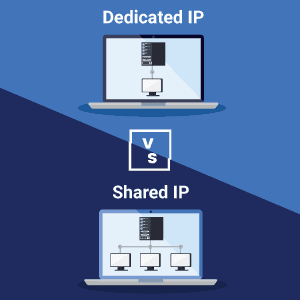
A Shared IP hosts multiple domains, whereas Dedicated IP is used by a single domain. A Dedicated IP costs a bit more than Shared IP, but it offers many benefits compared to a Shared IP. Both IPs are secured and offer the required features. So, depending on your website needs, you can choose either a Dedicated IP or a Shared IP.

Top

What is an IP Address?

What is an IP Address

The IP address is an ‘internet protocol’ address that is unique to every domain on the web. The addresses are mapped to the domain name using the DNS. You can think of DNS as a phonebook to WWW.

When you type Google in the address bar, the DNS query is performed for name servers as requested by the ISP. The mapping feature is not visible, but it allows you to access the domain name. Without the use of DNS, you would have to type numbers to get into Google.

There are two types of IP addresses that websites use – IPV4 and IPV6. As the internet is growing at a rapid speed, it needed a large address space. IPV6 is adept to accommodate the increasing demand of domains and IP addresses.

To determine whether you need a Shared IP or Dedicated IP, everything applies to IPV4 and IPV6. Your IP address also depends on your hosting provider’s server setup and tech stack.

Read more: New Domain or Subdomain – Pros and Cons of Each

Top

1. What is a Dedicated IP address?

A Dedicated IP address is a string of numbers assigned to your website. It is not shared or used by any other domain on the internet. If a user types your dedicated IP address in the browser search bar, the user will be redirected to your website. A dedicated IP address is like your landline, a dedicated number that is assigned to your name. You can purchase it through a hosting service provider for a small fee.

Use Bluehost coupons to purchase a Dedicated IP address now!

1.1 Benefits of Dedicated IP Address

  • It lets you access your website directly via FTP. You can remotely access your server at any time with a Dedicated IP address, and you don’t have to change the DNS settings for your domain. You can test your site before launching with a Dedicated IP address.
  • If your website has a unique set-up or your site requires special applications and scripts to run, you might need a Dedicated IP. Common applications run fine with Shared IP addresses, but for unique applications, choose Dedicated IP.
  • Dedicated IP can isolate your website and emails from other websites. It will protect both your website reputation and email. For professional emails, it is best to use a third-party email provider.
  • A Dedicated IP address provides a higher level of server control. Since you have direct access, you can customize it. Of course, it also depends on your technical skills.
  • With a Dedicated IP address, you can run your IP-based server environment. But, you will need your hosts’ permission for this.

Most hosting providers use Dedicated IPs for SSL certificates. It also depends on your hosting configurations. Some server setups require it, and other hosting providers use the SNI to install the SSL certificates on the website. A Dedicated IP address can provide a boost in the performance of the website.

Top

2. What is a Shared IP Address?

A Shared IP is mapped between multiple domains, which means you will have to share your IP address. It is a common string assigned to multiple websites at a single time.

Small businesses use Shared IP addresses more than big companies to manage the budget allocation. Most configurations don’t need a Dedicated IP address, and a Shared IP address is ideal for those configurations. Most new users or people who create a new website opt for a Shared IP address.

A Shared IP address is different from Shared hosting. If your website uses Shared IP, it doesn’t imply shared hosting. In Shared hosting, you are sharing the networking resources and hardware with other users including a Shared IP address.

2.2 Benefits of the Shared IP Address

  • Many people can use it at a time, which is the reason it is more popular than Dedicated IP. Different devices and computers can connect using the IP.
  • A Shared IP address gives you complete privacy while surfing the internet. It does not give the exact location to email recipients. It does not allow you to get blacklisted because of previous complain, which is an advantage. It is safe to use for all your online activities.
  • A Shared IP address provides complete security and many features. It is a perfect IP address if you want to grow your website in the webspace.
Top

Dedicated IP vs Shared IP: Difference Between the Two

  • Network and Site Speed
  • Network and Site Speed

    Using a Dedicated IP address enables you to visit your site via a single IP address. It provides easy access to the server using FTP and helps prevent CPU throttling. Added port access is another advantage of the Dedicated IP address, which is missing in Shared IP.

    The Shared IP address does not mean that your website performance will be slow. Also, sharing the IP address does not impact the speed of your website.

  • Emails
  • Emails

    Dedicated IP might benefit emails, but only for a large volume base. With a low volume of emails, there is no need to go with a Dedicated IP address. It is more important when it comes to the delivery rates.

    An IP reputation not only affects the delivery rate but also impacts the ability to reach the customer’s inbox. A third-party email service provider can help you with this, and it is best for more than 10,000 emails per month.

  • SSL and Security
  • SSL and Security

    In the past, for an SSL certificate, you had to purchase a Dedicated IP, but things have changed now. SNI (Server Name Identification) allows multiple SSL certificates on a single IP address today.

    It sends the visitor the certificate with the requested server. Some browsers don’t run on SNI, so you will have to check for those. Shared IP address work fine for SSL certificates. Security is not a concern because of isolated container technology.

  • SEO
  • SEO

    Just as emails, the IPs can get blacklisted. Google reviews the sites that are on Shared hosting and share the same IP address. Although Google does not take blacklisted sites lightly, if your IP gets blacklisted, there are some steps to undo it.

    Another concern that people face in SEO is the shifting of IP addresses, which may impact the rankings. Most big companies keep changing IP addresses, but they do it in such a way that it doesn’t impact their site’s rankings.

Top

Final Recap

The speed of your website won’t be harmed by the Shared IP address. A Dedicated IP address can benefit you if you are sending large volumes of emails. SSL certificates are allowed on Shared IP addresses.

With a high-quality hosting provider, your SEO won’t be affected. You cannot migrate IP addresses between hosting providers. So, depending on your requirement, choose an IP address that you think is right for your website.

Web Hosting vs Domain Name

By Sudhir Bhushan Leave a Comment

Web Hosting vs Domain Name Are you among those who get confused between Web hosting and Domain name? The two things are co-related but different.
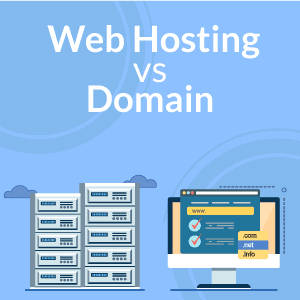
A web hosting hosts your website with specific plans provided by hosting companies.

A domain name is the address of your website. It’s the name that people will search in the address bar.

When you visit a web hosting provider’s site, the first thing you’ll notice is the domain name. When you register for a particular domain, you can move to the next level i.e. selecting a web hosting plan.

To own a domain, you’ll need to buy a domain from the company, and for a website, you need to buy a hosting plan. If you’re still confused, we will provide you with a broad difference between a domain and web hosting.

Further reading: How to Purchase a Domain Name and Hosting With Bluehost

Difference: Web Hosting vs Domain Name?

You need both web hosting and domain name to create a sustainable website. Web hosting allows you to host your website online, whereas a domain name is your brand’s identity that makes it easy for target customers to find you online.

Both are available at affordable prices with a wide range of hosting providers. But, you need to pick the right domain and hosting plan for your website to get an edge over your competitors. Thus, read this guide to learn more about them and make a choice accordingly.

Top

What is Web Hosting?

Web Hosting

Web hosting hosts your website and takes care of all the files on the server. It is like a home to your website. Web hosting companies not only specialize in storing but also servicing. Most hosting companies provide different plans for hosting.

The most common ones are Shared hosting, VPS hosting, Dedicated server hosting, and Cloud hosting. When you build your website with a web host, it provides a secure place to display your content on the web. The hosting companies provide added tools for managing your content and data. Plus, the hosting plans are flexible and affordable.

Read this Bluehost review to learn the different types of web hosting provided by this hosting company.

Top

What is a Domain Name?

Domain Name

Before you set up a website, you will need to set up your domain name. For this, you can register your domain with a domain name registrar. Each domain name is unique, which gives your website a distinctive identity.

As a rule, you can’t set up a new website if you don’t register a domain. Once you purchase the domain, you can use it for your website. It has its own distinctive identity, which helps the users to locate your website online.

Further reading: New Domain or Subdomain

Top

Difference Between Web Hosting and Domain Name

The domain name and web hosting are two different services. But when they come together, they make up for a website.

A domain system is a massive address book that consists of different website addresses. If a particular domain is unavailable, there are alternatives for the same.

For example, if the domain ‘Healthtoday’ is not available, the hosting company may offer alternatives like ‘Healthtodayone, etc. Every domain is followed by a domain extension.

A domain name alone is not enough to create a website. Once you register a domain name, you need to purchase a hosting plan that supports your website. In most cases, people opt for Shared hosting plans that are cheaper and easily available. There is always an option of migration later.

Top

What Are the Main TLD’S For a Domain Name?

TLD'S For a Domain Name

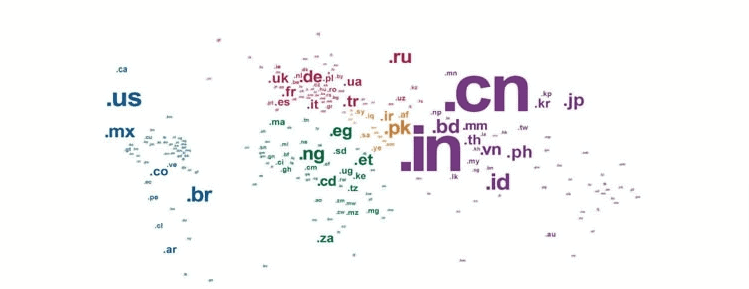
The top-level domain is mostly the last segment of the domain name as it’s the short part that follows the dot. The other name for a domain name is the domain suffix. The ICANN is a corporation that helps to manage the domain name and IP addresses of the website.

It categorizes TLD as generic top-level domains, country code top-level domain, sponsored top-level domain, and infrastructure top-level domain. The most popular ones are generic domains, which a website uses for address – .com, .org and, .net. Some are specific to government agencies, militaries, and educational institutes.

To purchase a domain, use these Bluehost domain coupons and get a discount.

Top

Choosing Domain Name Registrars

Each domain registrar may offer you different pricing and renewal fees. Check the terms and conditions before you buy a domain name. Check the domain transfer policy before you choose a domain name. Domain names have an expiry date, so choose a plan that offers automatic renewal. Also, check for other add-on services with the domain name registrars.

Top

Choosing a Web Host

You can buy web hosting easily today at affordable prices, thanks to the many options that are available. With Bluehost hosting coupons, you can get a discount of up to 65% on hosting.

However, when selecting a web hosting provider, you need to consider some factors:

  • Speed is an important factor as most users expect a site to load within two to three seconds. Always look for speed and an uptime guarantee.
  • Look for security as it’s the core concern in today’s times. Your website may be vulnerable to hacks and spam attacks if your security is not up to date. Added security features will make sure that your website remains secure.
  • Scalability is the most important factor; you will need to add more resources and tools if there is a sudden surge in traffic. Choose a web hosting provider that can accommodate the expansion.
  • Good customer support can bail you out of any trouble related to your website. Check for good customer support features.

Here are some hosting comparison articles that you can check out to make an informed decision.

  • Bluehost vs HostGator
  • Bluehost vs BigRock
  • Bluehost vs InMotion
Top

To Sum up,

Web hosting is the space of your house, whereas a domain name is the address of your house. People get confused regarding the two as the same hosting provider provides both options. Only conventional domain name registrars used to offer domain names before, but today most web hosting companies offer domain names.

Web hosting companies provide feasible domain name options when a user wants to buy a hosting plan. It is like a package deal. The hosting plans that you choose may also offer a free domain name.

Buying a web hosting plan and domain name from the same company will give you an added advantage as it is not only easier to manage but also renew both from a control panel.

When the companies are different, you’ll have to keep a tab on both. Plus, renewal process of domain registration from conventional registrars may also incur some extra fees.

Most hosting providers also offer easy domain name transfer. But, the migration of plans depends on the company. So, register a domain and purchase hosting today with these Bluehost coupons

Web Hosting vs WordPress Hosting

By Sudhir Bhushan Leave a Comment

Web Hosting or WordPress Hosting It is often a tough call to make between Web hosting and WordPress hosting as both have their pros and cons. Web hosting provides an ideal solution for new websites and start-ups, and the premium plans are great for big websites. WordPress hosting is the correct choice for self-hosting blogs.

Most bloggers or writers prefer WordPress for integration with plugins and tools. If you wish to start your E-com store, web hosting provides you with many features, but they may be limited. WordPress offers scalable solutions that you can expand with time. Are you perplexed by the difference between WordPress hosting and web hosting? Here’s what you need to know about the two platforms.

Further reading: How to Purchase a Domain Name and Hosting With Bluehost

Web hosting or WordPress hosting – Which one is right for you?

Both web hosting and WordPress hosting have their pros and cons. Which to choose would depend on the website’s need and your budget. Web hosting includes different hosting types – Shared, VPS, Cloud, Dedicated, among others.

WordPress hosting includes different hosting plans and managed hosting. WordPress hosting is a specialised hosting that offers many additional features compared to web hosting. Thus, check out this Web hosting vs WordPress hosting review to know which is best suited for your needs.

Top

1. What is Web Hosting?

Shared-Hosting

Web hosting companies provide hosting solutions that are available in different types. The most common hosting solutions are – Shared Hosting, VPS Hosting, Dedicated Hosting, Managed Hosting, and Cloud Hosting.

Shared hosting is the most popular service as it provides affordable plans. It multiplies the sites to share space on a single web server. There are so many websites operating on different platforms that use the same server. VPS Hosting and Dedicated Hosting solutions are great for websites that need added resources for scaling.

Cloud hosting is ideal for websites that have a high surge in traffic. If an E-com website opts for VPS or Cloud hosting plans, it can scale the resources as per the use. In Cloud hosting, you have to pay only for resources you use. All the hosting plans are available depending on the features you need.

Shared hosting may offer you limited bandwidth and storage. But there are many hosting plans which offer unlimited storage, speed, and uptime guarantee. With web hosting, you’ll also get comprehensive customer support. To purchase web hosting, make use of these Bluehost hosting coupons.

1.1 Pros and Cons of Web Hosting

Pros

  • Affordable Prices: The best part about web hosting is affordable plans. You can choose from a basic plan to a premium plan, depending on your budget and requirement. Most new websites choose basic hosting plans, while established companies opt for a Dedicated server.
  • Great performance: You can expect optimal performance with all web hosting plans as the system is handled by the company. There won’t be any glitches apart from downtime at times. Web hosting plans also offer guaranteed uptime.
  • Expert support: When you’re stuck with a website-related issue, you’ll have complete technical support. Contact the support team, and they’ll resolve the issue in no time, which will save time and increase productivity.

Cons

  • No room to expand: Limited hosting plans don’t give enough room for expansion. If a particular hosting plan has limited storage, the capacity may be over-utilised, which is a drawback.
  • Limited security: With limited plans, the security measures are limited. The additional security features differ with every hosting plan. A basic plan may not provide your website with the same security as a premium plan.
  • Can get costly: Cost varies in web hosting. The shared hosting plan is cheap, but a Dedicated or VPS plan can be costly. Some web hosting plans can be extremely expensive and only suitable for bigger websites.

Want to purchase a domain along with web hosting? Use these Bluehost domain coupons to get a discount.

Top

2. What is WordPress Hosting?

WordPress Hosting

WordPress hosting plans are suitable for a shared server environment. The hosting plans are available on many levels and at different prices. Most people opt for a WordPress plan that shares the server with other WordPress installs. Not only the services, but the support is also customised to suit the need of the website. Read this Bluehost review to know why Bluehost is the best company for WordPress hosting.

The features available in WordPress hosting helps to maximize the performance of the website. Most hosting providers sell WordPress hosting plans with features like PHP support and PHP memory. It comes with a host of handy add-ons, which help your website to function smoothly.

WordPress plans may include auto-updates and integration with tools and plugins. It is a major difference between web hosting and WordPress hosting. Access to themes and plugins let you create the site of your dreams. You also have the option of installing a WordPress theme with a single click.

But, add-on features are not free of cost. Premium WordPress plans offer these features, you’ll have to shell out some extra money. WordPress is quick to install, and you can create your website in minutes. For example, Bluehost offers the best integration for WordPress. You can install WordPress in Bluehost within no time with a single click installation.

2.2 Pros and Cons of WordPress

Pros

  • Optimised performance: With WordPress hosting, you’ll get the benefits of optimised performance. It provides guaranteed speed and uptime for enhanced performance.
  • Complete security and scalability: WordPress does offer different security features based on plans. The website that hosts on WordPress offers great scalability. You can distribute resources according to the need of the website.
  • Reliability and backups: The plans offered by WordPress are reliable. All accounts on the server will receive the same maintenance and uptime. Even backups and bulk updates are similar and apply to all the websites on the server.

Cons

  • Expensive: Managed WordPress hosting plans are expensive than basic hosting plans. You’ll get a Shared web hosting plan starting from ₹175. But an unlimited WordPress plan may start from ₹1259. To buy WordPress hosting at a discount, make use of these Bluehost coupons.
  • No Email Support: There is no separate email support in most WordPress plans. You’ll have to manage your mails in a customised way or by opting for another host for email setup.
  • No Plugin Support: WordPress hosting offers many plugins that you can integrate with your website. But, some plugins can be non-supportive. If a particular plugin is outdated, it may serve no purpose to your website.
Top

Which one is right for you?

It depends on your needs. You may want to consider the specifics of hosting solutions with additional features. Are you building a website with WordPress,, and what’s your budget? Consider all the security features. If it is an E-com website, you will need added security features for different payment gateways. Do you prefer server maintenance behind the scene?

The most important factor to consider is your content. What type of content are you planning for your new website? If there are many videos and images to upload, it’s better to opt for a premium web-hosting plan. WordPress hosting is great for integration and personal blogs. Whether you choose web or WordPress hosting, look for flexibility and upgrade features.

The right kind of hosting will make a huge difference in your site optimization. WordPress hosting offers many SEO features you can use for increasing the rank of your website. Choosing the right platform is always a make-or-break situation. Launching a website is simple, but sustaining it requires the right platform. With the right resources and configuration, you’ll get the best results for your website.

  • « Previous Page
  • 1
  • …
  • 3
  • 4
  • 5
  • 6
  • 7
  • …
  • 10
  • Next Page »

DMCA
PROTECTED


Back to Top

© Copyright 2026 BHICoupons.in · All Rights Reserved · All Logos & Trademark Belongs To Their Respective Owners·

Bluehost Coupon